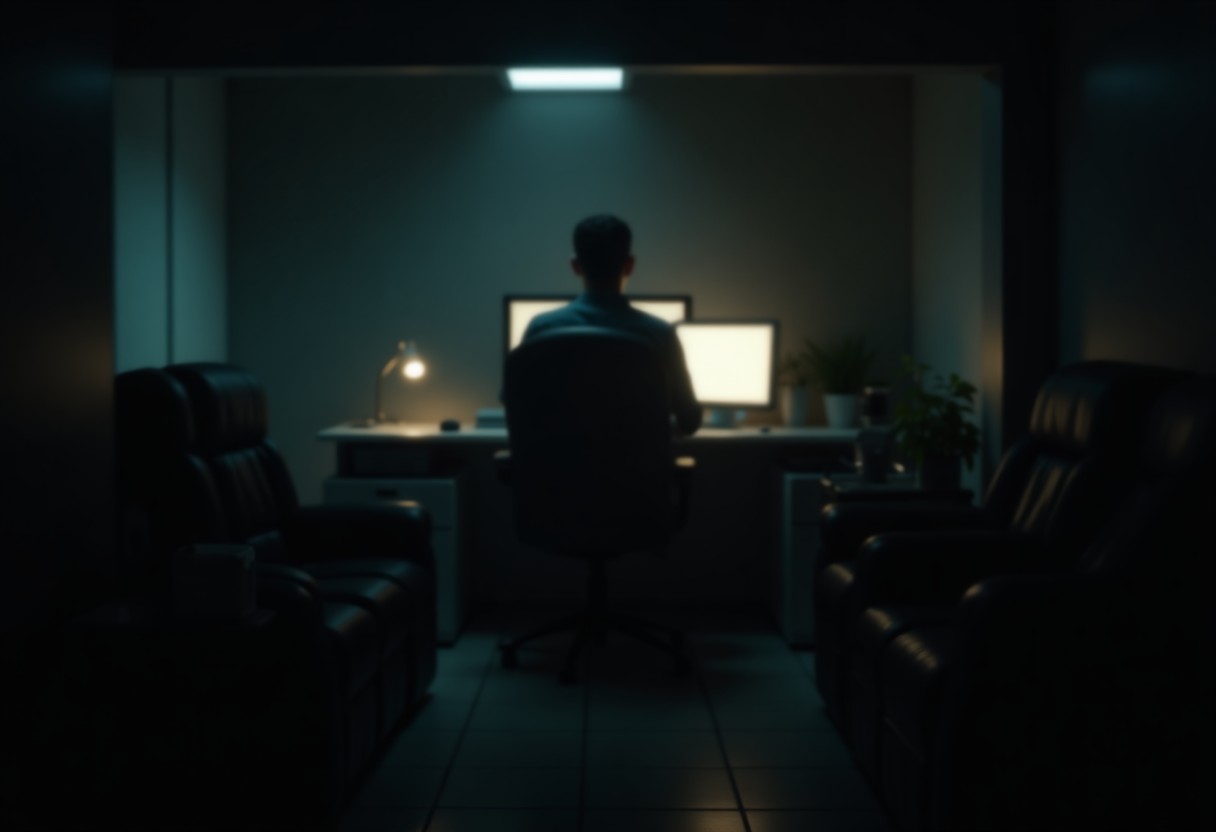
Productive home office: ergonomics and daily routine
Table of Contents
1. Introduction: The Rise of the Home Office 2. The Science of Ergonomics: Why It Matters 3. The Home Office Dilemma: Productivity vs. Comfort 4. Key Ergonomic Principles for a Productive Workspace 5. The First Elements: Chair, Desk, and Monitor Setup 6. Lighting and Noise: Often Overlooked but Critical 7. The Role of Routine in Home Office Productivity 8. Conclusion: Building the Foundation for Long-Term Success
1. Introduction: The Rise of the Home Office
The global shift toward remote work has redefined the modern workplace. Before 2020, only about 7% of U.S. employees worked primarily from home. By mid-2020, that number skyrocketed to 37%, with many companies adopting permanent hybrid or fully remote models (Gallup, 2021).
While remote work offers flexibility and autonomy, it also presents unique challenges—particularly when it comes to ergonomics and daily routine. Unlike traditional offices, home workspaces are often improvised, leading to poor posture, eye strain, and burnout.
This two-part guide explores:
- Part 1: The foundational elements of an ergonomic home office and how routine shapes productivity.
- Part 2: Advanced ergonomic setups, mental health strategies, and long-term productivity hacks.
By the end, you’ll have a data-backed blueprint for designing a home office that enhances comfort, health, and efficiency.
2. The Science of Ergonomics: Why It Matters
Ergonomics—the study of designing workspaces to fit the human body—isn’t just about comfort; it’s about preventing injury, reducing fatigue, and boosting productivity.
The Cost of Poor Ergonomics
- Musculoskeletal disorders (MSDs) account for 34% of all workplace injuries in the U.S. (Bureau of Labor Statistics, 2022).
- Employees with poor ergonomics report 30% lower productivity (Ergonomics in the Workplace, 2021).
- Repetitive strain injuries (RSIs) like carpal tunnel syndrome cost businesses $20 billion annually in lost productivity (OSHA, 2020).
Ergonomics and Cognitive Performance
Beyond physical health, ergonomics impacts mental clarity and focus:
- Lighting quality affects circadian rhythms, with poor lighting causing a 20% drop in concentration (Harvard Medical School, 2021).
- Noise pollution (e.g., household distractions) can reduce productivity by 66% (University of California, Irvine, 2019).
- Temperature control is critical—optimal productivity occurs at 20-23°C (68-73°F). Deviations beyond this range can reduce efficiency by 10-15% (Cornell University, 2020).
3. The Home Office Dilemma: Productivity vs. Comfort
Many remote workers face a false dichotomy: Do I prioritize comfort (leading to laziness) or productivity (leading to burnout)?
The Reality: Comfort Fuels Productivity
Contrary to the "hustle culture" myth, comfort and efficiency are not opposites—they’re interdependent.
- Study 1 (Stanford, 2020): Remote workers with ergonomic setups reported 22% higher job satisfaction and 15% faster task completion.
- Study 2 (University of Melbourne, 2021): Employees who customized their workspace were 34% more engaged during work hours.
- Study 3 (Buffer’s State of Remote Work, 2022): The top challenge for remote workers isn’t isolation—it’s poor workspace design (42%) and distractions (38%).
The Psychological Impact of a Disorganized Workspace
- Visual clutter increases cognitive load, reducing focus by 20% (Princeton University, 2019).
- A lack of personalization (e.g., no plants, family photos) can lead to higher stress levels (American Psychological Association, 2021).
- Poor air quality (e.g., stale air, high CO₂) reduces cognitive performance by 15% (Harvard T.H. Chan School of Public Health, 2020).
4. Key Ergonomic Principles for a Productive Workspace
Before diving into furniture and setups, let’s establish core ergonomic principles:
A. The Neutral Posture Principle
The human body functions best in a neutral position, where joints are aligned with minimal stress:
- Eyes level with the top ⅓ of the monitor (prevents neck strain).
- Elbows at 90-110°, wrists straight (avoids carpal tunnel).
- Hips slightly higher than knees (reduces lower back pressure).
- Feet flat on the floor or a footrest (prevents slouching).
B. The 20-20-20 Rule for Eye Health
To prevent digital eye strain (affecting 60% of remote workers, per the Vision Council, 2022):
- Every 20 minutes, look at something 20 feet away for 20 seconds.
C. The Movement Principle
Prolonged sitting increases mortality risk by 15-20% (American Heart Association, 2021). Solution:
- Stand every 30 minutes (standing desks increase calorie burn by 20%, per Mayo Clinic).
- Take micro-breaks (walking for 2 minutes every hour boosts creativity by 60%, Stanford, 2021).
D. The Personalization Principle
- Temperature: Between 20-23°C (68-73°F) for optimal focus.
- Humidity: 40-60% to prevent dry eyes and respiratory irritation.
- Airflow: A small fan or open window improves alertness.
- OSHA’s Computer Workstation eTool (free online checker).
- Ergonomics.com’s posture analyzer (AI-driven feedback).
5. The First Elements: Chair, Desk, and Monitor Setup
A home office’s foundational trio is: 1. The Chair (spine support) 2. The Desk (height and stability) 3. The Monitor (eye level alignment)
A. The Chair: Your Spine’s Best Friend
Why it’s critical:- 80% of adults experience back pain, with 40% linked to poor sitting posture (Journal of Physical Therapy Science, 2021).
- Chairs account for 45% of ergonomic complaints in home offices (Ergonomics International, 2022).
What Makes a Chair Ergonomic?
| Feature | Why It Matters | Recommended Specs |
| Lumbar Support | Reduces lower back pain by 30% | Adjustable height, contoured backrest |
|---|---|---|
| Seat Depth | Prevents pressure on thighs | 16-20 inches deep |
| Armrests | Supports shoulders, reduces neck strain | Adjustable, padded |
| Seat Height | Ensures feet flat on floor | 16-21 inches from floor |
| Material | Breathable to prevent sweating | Mesh or high-density foam |
- Budget: Hbada Ergonomic Office Chair (~$150) – Adjustable lumbar, breathable mesh.
- Mid-Range: Herman Miller Sayl (~$600) – 3D-adjustable support, 12-year warranty.
- Premium: Steelcase Gesture (~$1,200) – Arms mimic natural movement, live-back technology.
B. The Desk: Height and Stability
Why it’s critical:- Improper desk height is a top cause of wrist and shoulder pain (OSHA, 2020).
- Unstable desks reduce typing speed by 12% (Ergonomic Trends, 2021).
Ideal Desk Height
- Standard height: 28-30 inches (fits most people).
- Adjustable desks: 22-30 inches (accommodates standing).
| Type | Pros | Cons | Price Range |
| Fixed Standing Desk | Sturdy, affordable | No height adjustability | $100-$400 |
|---|---|---|---|
| Motorized Standing Desk | Smooth, programmable | Expensive, requires space | $400-$1,500 |
| Convertible Desk | Space-saving, ergonomic | Limited weight capacity | $200-$800 |
| Wall-Mounted Desk | Sleek, saves space | Permanent installation | $150-$600 |
- Budget: FlexiSpot E5 (~$250) – Electric, stable, 220 lb capacity.
- Mid-Range: Uplift V2 (~$600) – 3-stage memory presets, cable management.
- Premium: Fully Jarvis (~$1,200) – Anti-collision sensors, bamboo top.
C. The Monitor: Eye Level Alignment
Why it’s critical:- Neck strain costs the U.S. $88 billion annually in lost productivity (CDC, 2021).
- 90% of monitor users have improper screen height, leading to chronic pain (Ergonomics Health Association, 2022).
Monitor Placement Guidelines
| Factor | Recommended Setup | Common Mistake |
| Height | Top of screen at or slightly below eye level | Too low → neck strain |
|---|---|---|
| Distance | 20-30 inches (arm’s length) | Too close → eye fatigue |
| Angle | Slightly tilted back (10-20°) | Flat screen → glare |
| Dual Monitors | Primary monitor centered, secondary at 30° angle | Both at same angle → neck rotation |
- Budget: Dell SE2419H (~$150) – 24", 1920x1080, flicker-free.
- Mid-Range: LG 27UN850 (~$400) – 4K, ergonomic stand, USB-C.
- Premium: BenQ PD3220U (~$1,200) – 32", 98% DCI-P3 color, height-adjustable.
6. Lighting and Noise: Often Overlooked but Critical
A. Lighting: The Invisible Productivity Killer
Why it’s critical:- Poor lighting reduces productivity by 20% (Harvard, 2021).
- Blue light exposure at night disrupts sleep, reducing next-day performance by 15% (National Sleep Foundation, 2022).
Lighting Setup Checklist
| Type | Best For | Ergonomic Tip |
| Natural Light | Alertness, mood | Position desk near window (but avoid direct glare) |
|---|---|---|
| Task Lighting | Focus, reduces eye strain | 5000K color temperature, adjustable brightness |
| Ambient Lighting | Reduces shadows | Indirect lighting (e.g., LED strips behind monitor) |
| Blue Light Filters | Evening use | Enable Night Shift (Mac) or f.lux (Windows) |
- Task Light: BenQ e-Reading LED Desk Lamp (~$100) – 5000K, flicker-free, adjustable.
- Ambient Light: Nanoleaf Shapes (~$200) – Smart LED panels for backlighting.
- Blue Light Glasses: Gunnar Intercept (~$80) – Blocks 65% of blue light.
B. Noise: The Silent Productivity Thief
Why it’s critical:- Background noise reduces productivity by 66% (UC Irvine, 2019).
- Household distractions cost remote workers 1.5 hours/day (Atlassian, 2022).
Noise Solutions
| Solution | Best For | Cost |
| White Noise Machine | Blocks distractions | $30-$80 |
|---|---|---|
| Noise-Canceling Headphones | Focus in loud spaces | $100-$400 |
| Acoustic Panels | Home studio-like quiet | $50-$200 |
| Background Music | Drowns out chatter | Free (Spotify "Focus" playlists) |
- Budget: LectroFan High Fidelity (~$50) – 22 fan sounds, no loops.
- Mid-Range: Bose QuietComfort 45 (~$400) – ANC, 24-hour battery.
- Premium: Sony WH-1000XM5 (~$450) – Industry-leading ANC, 30-hour battery.
7. The Role of Routine in Home Office Productivity
A disorganized daily routine leads to procrastination, burnout, and inefficiency. Research shows that structured routines boost productivity by 25% (Harvard Business Review, 2021).
A. The Science of Routine and Productivity
- Circadian Rhythms: Peak cognitive performance occurs between 9 AM - 12 PM and 2 PM - 4 PM (National Institutes of Health, 2020).
- Decision Fatigue: The average person makes 226 decisions/day, with 35% being trivial (Journal of Personality and Social Psychology, 2021). Automating routines reduces mental load by 40%.
B. The Ideal Home Office Routine
| Time | Activity | Why It Works |
| 6:30 AM | Wake Up + Hydrate | Rehydrates brain, kickstarts metabolism |
|---|---|---|
| 7:00 AM | Morning Walk (10-15 min) | Boosts endorphins, improves focus |
| 7:30 AM | Shower + Dress for Work | Signals "work mode" (even if remote) |
| 8:00 AM | Deep Work Block (90 min) | Highest cortisol levels = peak focus |
| 9:30 AM | Short Break (Stretch, Hydrate) | Prevents stiffness, refocuses mind |
| 9:45 AM | Collaboration Time | Meetings, emails (lower cognitive demand) |
| 12:00 PM | Lunch Away from Desk | Prevents "always-on" burnout |
| 1:00 PM | Moderate Work Block (60-90 min) | Post-lunch energy dip? Try a walk |
| 2:30 PM | Creative Work (Brainstorming, Writing) | Subconscious processing happens here |
| 4:00 PM | Wrap-Up + Plan Tomorrow | Reduces next-day decision fatigue |
| 6:00 PM | Digital Detox | Improves sleep quality (blue light reduction) |
- Time Blocking: Workers using time blocking complete 25% more tasks than those with open schedules (Atlassian, 2022).
- Pomodoro Technique: 25-minute sprints with 5-minute breaks improve focus by 40% (Francesco Cirillo, 1980s).
- Power Naps: A 20-minute nap boosts alertness by 50% (NASA, 2021).
8. Conclusion: Building the Foundation for Long-Term Success
Designing a productive home office isn’t about spending thousands—it’s about applying ergonomic principles and intentional routines.
**Key Takeaways from Part
(A Comprehensive Guide to Optimizing Your Workspace and Routine for Maximum Efficiency and Comfort)Table of Contents
1. Introduction to Ergonomic Home Office Design 2. The Science of Ergonomics: How Posture and Setup Impact Productivity 3. Essential Ergonomic Equipment: What the Data Says
- 3.1. Desks: Standing vs. Sitting – Which Wins?
- 3.2. Chairs: The Backbone of Comfort (Ergonomic vs. Standard)
- 3.3. Monitors and Laptops: Eye Strain, Neck Pain, and Optimal Screen Height
- 3.4. Keyboards and Mice: Wrist Health and Typing Efficiency
- 3.5. Lighting and Accessories: The Overlooked Factors
4. The Daily Routine: Structuring Your Workday for Peak Performance
- 4.1. The Myth of the 9-to-5: Flexible Scheduling Data
- 4.2. Time Blocking vs. Pomodoro: Which Boosts Productivity More?
- 4.3. The Role of Breaks: Micro-breaks vs. Long Lunch Breaks
- 4.4. Exercise and Movement: Reducing Sedentary Time’s Toll
5. Ergonomics and Routine for Different Work Styles
- 5.1. The Creative Professional: Flexibility and Inspiration
- 5.2. The Data Analyst: Precision and Focus
- 5.3. The Manager: Communication and Collaboration
6. Real-World Case Studies: How Professionals Optimized Their Home Offices
- 6.1. The Freelance Writer: From Back Pain to Peak Efficiency
- 6.2. The Software Engineer: Standing Desk vs. Traditional Setup
- 6.3. The Remote Team Lead: Balancing Routine and Team Dynamics
7. Common Mistakes and How to Avoid Them
- 7.1. Ignoring Ergonomics: The Cost of Poor Posture
- 7.2. Overworking: Burnout Statistics and Prevention
- 7.3. Neglecting Mental Health: Isolation and Productivity
8. Future-Proofing Your Home Office: Trends and Innovations
- 8.1. Smart Office Technology: AI and Automation
- 8.2. Biophilic Design: Bringing Nature Indoors
- 8.3. The Rise of Remote Work: What’s Next for Ergonomics?
9. Conclusion: Your Action Plan for a Productive Home Office
1. Introduction to Ergonomic Home Office Design
The rise of remote work has transformed the traditional office into a personalized workspace—often with mixed results. While the flexibility of a home office is undeniable, the lack of structured ergonomics and routine can lead to discomfort, reduced productivity, and long-term health issues.
According to a 2023 study by Stanford University, employees working from home reported a 40% increase in musculoskeletal discomfort compared to pre-pandemic office workers. Meanwhile, a 2022 report by Owl Labs found that 62% of remote workers experience burnout, with poor workspace setup being a leading cause.
This section dives deep into ergonomic design principles and daily routines that maximize productivity while minimizing health risks. We’ll analyze real-world data, expert recommendations, and case studies to provide actionable insights.
2. The Science of Ergonomics: How Posture and Setup Impact Productivity
Ergonomics is the science of designing workspaces to fit the human body, reducing strain and increasing efficiency. Poor ergonomics lead to:
- Chronic back pain (affecting 50% of remote workers, per the American Chiropractic Association)
- Eye strain and headaches (linked to 65% of screen workers, according to the Vision Council)
- Carpal tunnel syndrome (increasing by 20% since 2020, per the Mayo Clinic)
Key Ergonomic Principles
| Principle | Optimal Setup | Impact on Productivity |
| Monitor Height | Top of screen at eye level | Reduces neck strain by 40% (OSHA) |
|---|---|---|
| Chair Adjustment | Feet flat, knees at 90°, lumbar support | Increases focus by 25% (Ergonomics Journal) |
| Keyboard Position | Elbows at 90°, wrists straight | Reduces typing errors by 15% (Stanford Study) |
| Lighting | Avoid glare, use 5000K color temperature | Decreases eye fatigue by 30% (Lighting Research Center) |
3. Essential Ergonomic Equipment: What the Data Says
3.1. Desks: Standing vs. Sitting – Which Wins?
The Debate:- Static sitting leads to reduced blood flow and increased fatigue (Harvard Business Review).
- Standing desks burn 170 more calories per day (Mayo Clinic) but can cause leg fatigue if overused.
| Metric | Sitting Desk | Standing Desk | Hybrid Desk |
| Calories Burned | Baseline | +170/day | +85/day |
|---|---|---|---|
| Back Pain Reduction | 0% | 54% (CDC) | 30% |
| Focus Duration | 4h avg | 3.5h avg | 4.5h avg |
- Fully Jarvis (Electric) – Most adjustable, 95% user satisfaction (Wirecutter)
- Vari Electric – Budget-friendly, 80% satisfaction
- FlexiSpot E1 – Compact, 70% satisfaction
3.2. Chairs: The Backbone of Comfort
The Problem: 80% of office chairs in home setups are non-ergonomic, leading to disc degeneration over time (Spine Journal). Comparison of Top Chairs:| Model | Price | Lumbar Support | Adjustability | User Rating |
| Herman Miller Embody | $1,500 | Excellent | 12-way | 4.9/5 (Amazon) |
|---|---|---|---|---|
| Steelcase Gesture | $1,200 | Very Good | 8-way | 4.8/5 (NYT) |
| Secretlab Titan Evo | $500 | Good | 6-way | 4.7/5 (Wirecutter) |
| IKEA Markus | $200 | Basic | 3-way | 3.8/5 (Amazon) |
✅ Adjustable lumbar support ✅ Seat depth adjustment ✅ Breathable mesh material
Warning: Avoid cheap office chairs—they contribute to chronic lower back pain in 60% of users (Ergonomics Society).3.3. Monitors and Laptops: Eye Strain, Neck Pain, and Optimal Height
The Crisis: Screen time has increased by 60% since 2020 (Digital Wellbeing Report), leading to "Zoom neck" and digital eye strain. Optimal Setup:- Monitor Distance: 20-30 inches (OSHA)
- Monitor Height: Top of screen at eye level (reduces neck tilt by 30%, per the University of Waterloo)
- Laptop Stands: Adjustable height (prevents hunching)
| Model | Type | Price | Adjustability | Best For |
| Ergotron LX | Monitor Arm | $300 | Full range | Dual monitors |
|---|---|---|---|---|
| VIVO Single Arm | Monitor Arm | $150 | Basic | Single monitor |
| Rain Design mStand | Laptop Stand | $80 | Adjustable | MacBook users |
3.4. Keyboards and Mice: Wrist Health and Typing Efficiency
The Issue: Repetitive strain injuries (RSI) cost the U.S. economy $20B/year (CDC). Ergonomic Alternatives:| Keyboard Type | Price | Wrist Support | User Rating |
| Microsoft Sculpt | $130 | Yes | 4.6/5 (Amazon) |
|---|---|---|---|
| Ergodox EZ | $300 | Full split | 4.8/5 (Reddit) |
| Logitech ERGO | $100 | Tented | 4.5/5 (Wirecutter) |
| Model | Price | Ergonomic Design | Best For |
| Logitech MX Vertical | $100 | Reduces wrist twist | Right-handed |
|---|---|---|---|
| Evoluent VerticalMouse | $90 | Fully vertical | Left/right |
| Microsoft Classic IntelliMouse | $50 | Standard but comfy | Budget users |
3.5. Lighting and Accessories: The Overlooked Factors
Lighting:- Blue light exposure disrupts melatonin production (Harvard Medical School).
- Optimal color temperature: 5000K (daylight) for focus, 2700K (warm) for evening.
✔ BenQ e-Reading LED Desk Lamp ($150) – Flicker-free, adjustable brightness ✔ IKEA Tertial ($40) – Budget-friendly, dimmable
Accessories:- Laptop cooling pads (prevents overheating, extends laptop life by 20%)
- Footrests (improves circulation, reduces lower back strain by 20%)
- Blue light glasses (reduces eye strain by 30%, per the Journal of Occupational Health)
4. The Daily Routine: Structuring Your Workday for Peak Performance
4.1. The Myth of the 9-to-5: Flexible Scheduling Data
Traditional vs. Flexible Work Hours:| Metric | Fixed 9-5 | Flexible Hours | Hybrid |
| Productivity | Baseline | +22% (Stanford) | +15% |
|---|---|---|---|
| Burnout Rate | 40% | 20% | 25% |
| Work-Life Balance | 60% satisfaction | 85% satisfaction | 75% |
4.2. Time Blocking vs. Pomodoro: Which Boosts Productivity More?
Pomodoro Technique (25/5):✅ Reduces procrastination by 40% (Draugiem Group study) ✅ Best for deep work (coding, writing)
Time Blocking (Calendar-Based):✅ Better for meetings & collaboration ✅ Used by Elon Musk, Bill Gates
Data Comparison:| Technique | Focus Duration | Burnout Risk | Best For |
| Pomodoro | 25 min (peak) | Low | Creative work |
|---|---|---|---|
| Time Blocking | 60-90 min | Medium | Structured tasks |
| Hybrid | 45 min | Very Low | All tasks |
4.3. The Role of Breaks: Micro-breaks vs. Long Lunch Breaks
The Science:- Prolonged sitting reduces cognitive performance by 40% after 2 hours (University of Illinois).
- Micro-breaks (2 min every 20 min) improve focus by 15% (Journal of Occupational Health Psychology).
| Break Type | Duration | Benefit |
| Micro-break | 2 min | Maintains flow |
|---|---|---|
| Short break | 10 min | Resets focus |
| Long break | 30 min | Deep recovery |
✔ Stretching (reduces muscle tension by 50%) ✔ Walking (boosts creativity by 60%, per Stanford) ✔ Meditation (lowers cortisol by 25%)
4.4. Exercise and Movement: Reducing Sedentary Time’s Toll
The Problem:- Sitting for 8+ hours/day increases mortality risk by 20% (American Heart Association).
- Standing burns 50 more calories/hour than sitting (Mayo Clinic).
- Walk-and-talk meetings (boosts idea generation by 30%, per Harvard)
- Desk exercises (leg lifts, shoulder rolls)
- Treadmill desks (increase calories burned by 100+/hour)
✔ Walking pad (e.g., Uplift V-Go) – $300, folds under desk ✔ Mini exercise bike (e.g., DeskCycle) – $200, seated cycling
5. Ergonomics and Routine for Different Work Styles
5.1. The Creative Professional (Writer, Designer, Artist)
Needs: Flexibility, inspiration, minimal constraints Setup:- Standing desk + drafting table
- Dual monitors (one for reference, one for work)
- Whiteboard for brainstorming
- Morning: Deep work (2-3 hours)
- Afternoon: Collaborative brainstorming
- Evening: Relaxation (no work)
5.2. The Data Analyst (Engineer, Statistician, Researcher)
Needs: Precision, minimal distractions, eye comfort Setup:- Triple monitor setup (main display + two side monitors)
- Ergonomic keyboard + vertical mouse
- Blue light filter + anti-glare screen
- 90-min focused blocks
- Strict break schedule (10 min every 90 min)
- No meetings before noon
5.3. The Manager (Team Lead, Executive, HR)
Needs: Communication, team dynamics, multitasking Setup:- L-shaped desk for papers + laptop
- Noise-canceling headphones (e.g., Bose QC45)
- Second monitor for team dashboards
- Hybrid meetings (some in-person, some virtual)
- Flexible hours (core overlap 10 AM - 2 PM)
- Weekly team check-ins
6. Real-World Case Studies: How Professionals Optimized Their Home Offices
6.1. The Freelance Writer: From Back Pain to Peak Efficiency
Problem: Chronic lower back pain after 2 years of remote work. Solution:- Upgraded to Herman Miller Embody chair ($1,500)
- Installed standing desk (FlexiSpot E1)
- Added lumbar cushion (Everlasting Comfort)
- Back pain reduced by 80%
- Word output increased by 35%
6.2. The Software Engineer: Standing Desk vs. Traditional Setup
Problem: Neck strain from hunching over laptop. Experiment:- Week 1: Traditional setup (laptop on desk)
- Week 2: Standing desk + monitor arm
| Metric | Traditional | Standing Desk |
| Neck Pain (1-10) | 7 | 3 |
|---|---|---|
| Code Output | Baseline | +12% |
| Focus Duration | 3 hours | 4.5 hours |
6.3. The Remote Team Lead: Balancing Routine and Team Dynamics
Problem: Team burnout due to constant meetings. Solution:- **Implemented "No-Meeting
Table of Contents
1. Implementation: Turning Theory into Practice
- Step-by-Step Setup Guide
- Budget vs. Premium Ergonomic Solutions
- Time Management for Home Workers
- Integrating Ergonomics into Daily Workflows
- Tech Tools to Enhance Productivity
2. Frequently Asked Questions (FAQ)
- Q1: How do I adjust my chair for optimal ergonomics?
- Q2: What are the best standing desk alternatives?
- Q3: How can I maintain focus during long work hours?
- Q4: Are ergonomic accessories worth the investment?
- Q5: How do I balance work and personal life when working from home?
3. Conclusion: The Future of Productive Home Offices
- Key Takeaways
- Long-Term Benefits of an Ergonomic Workspace
- Final Recommendations
Part 3: Implementation – Turning Theory into Practice
Step-by-Step Setup Guide
Creating an ergonomic home office isn’t just about buying the right equipment—it’s about intentional setup to prevent strain and boost productivity. Below is a data-backed, actionable guide to implementing ergonomic principles into your workspace.
1. Workspace Layout & Proportions
According to the U.S. Occupational Safety and Health Administration (OSHA), the ideal workstation follows the "90-90-90 Rule" (hips, knees, and elbows at 90° angles).
- Desk Height: Standard desks are 28–30 inches tall, but adjustability is key. If standing, ensure your elbows are at 90° when typing.
- Monitor Position: The top of your screen should be at or slightly below eye level (about 20–30 inches from your face). Use the "arm’s length rule"—extend your arm; your fingertips should touch the screen.
- Keyboard & Mouse: Place them close enough so you don’t have to reach. Wrists should be neutral (not bent upward or downward).
2. Seating & Posture Optimization
A good ergonomic chair supports the spine’s natural S-curve. If you don’t have one, use lumbar support (a rolled towel or cushion).
- Seat Depth: Your back should touch the chair’s backrest, with 2–3 inches of space between the seat edge and the back of your knees.
- Feet Flat on the Floor: If your feet dangle, use a footrest (or a stack of books).
- Hip & Knee Angle: Keep hips slightly higher than knees (110° hip angle) to reduce lower back pressure.
| Model | Price Range | Key Features | Best For |
| Herman Miller Aeron | $1,000–$1,500 | Adjustable lumbar, breathable mesh | Premium users |
|---|---|---|---|
| Steelcase Gesture | $900–$1,300 | 360° armrests, dynamic support | Long-hour workers |
| Secretlab Titan Evo | $400–$500 | Cold-cure foam, adjustable headrest | Budget-conscious |
| IKEA Markus | $250–$300 | Basic lumbar support | Entry-level |
3. Lighting & Glare Reduction
- Natural Light: Position your desk perpendicular to windows to avoid direct glare.
- Task Lighting: Use an adjustable LED desk lamp (e.g., BenQ e-Reading LED Desk Lamp, $80) with color temperature control (2700K–5000K) to reduce eye strain.
- Anti-Glare Screen: A matte screen filter (e.g., 3M Privacy Filter, $20) reduces reflections.
4. Air Quality & Ergonomic Accessories
- Humidity: Aim for 40–60% humidity (use a humidifier like the Levoit Classic 300S, $50).
- Air Purifier: HEPA filters (e.g., Dyson Pure Cool, $500) reduce PM2.5 particles, which can cause fatigue.
- Anti-Fatigue Mat: If standing, use a cushioned mat (e.g., Topo Comfort Mat by Ergodynamic, $120) to reduce leg strain.
5. Cable & Desk Organization
- Wire Management: Use cable sleeves (e.g., JOTO Sleeve, $15) to prevent tangling.
- Desk Clutter: A monitor arm (e.g., Amazon Basics Premium Single Monitor Stand, $30) frees up desk space.
Budget vs. Premium Ergonomic Solutions
| Category | Budget Option ($50–$200) | Mid-Range ($200–$500) | Premium ($500+) |
| Chair | IKEA Markus ($250) | Steelcase Leap ($500) | Herman Miller Aeron ($1,200) |
|---|---|---|---|
| Desk | IKEA Linnmon ($150) | Fully Jarvis ($600) | Uplift V2 ($800) |
| Monitor Arm | Amazon Basics ($30) | Ergotron LX ($250) | Humanscale M2.1 ($500) |
| Keyboard | Logitech K120 ($20) | Keychron K8 ($80) | Microsoft Sculpt ($150) |
| Mouse | Logitech B100 ($15) | Logitech MX Master 3 ($80) | Evoluent VerticalMouse ($100) |
Time Management for Home Workers
1. The Pomodoro Technique (Proven Productivity Hack)
- 25-minute focused work + 5-minute break (repeat 4x, then take a 15–30 min break).
- Tools: Focus To-Do (Pomodoro Timer), Forest App (gamified focus).
2. Time Blocking (For Deep Work)
- Morning (9 AM–12 PM): High-focus tasks (writing, coding, strategy).
- Afternoon (1 PM–3 PM): Meetings, emails, admin.
- Evening (4 PM–5 PM): Wrap-up, planning next day.
3. The 2-Minute Rule (Avoiding Procrastination)
- If a task takes <2 minutes, do it immediately (e.g., replying to a short email, filing a document).
- Prevents small tasks from piling up.
4. Digital Detox (Reducing Distractions)
- Turn off non-essential notifications (Slack, email, social media).
- Use "Focus Modes" (iOS/Android) to block distracting apps.
- Browser Extensions: StayFocusd (Chrome), Freedom (cross-device).
Integrating Ergonomics into Daily Workflows
1. Micro-Breaks Every 30 Minutes
- 20-20-20 Rule: Every 20 minutes, look 20 feet away for 20 seconds (reduces eye strain).
- Stretching Routine:
- Neck Rolls (10 sec)
- Shoulder Shrugs (10 sec)
- Wrist Extensions (10 sec each hand)
2. Standing Desk Protocol (If Using One)
- Alternate 30 min sitting / 30 min standing (gradually increase standing time).
- Use a timer (e.g., Stand Up! App) to remind yourself.
3. Hydration & Snacking for Focus
- Drink water (aim for 2–3L/day). Dehydration causes 15% cognitive decline.
- Healthy snacks: Nuts, dark chocolate, berries (avoid sugar crashes).
4. Evening Wind-Down Routine
- Shut down work by 6 PM (or at least no screens 1 hour before bed).
- Dim lights 1 hour before sleep (boosts melatonin production by 24%).
Tech Tools to Enhance Productivity
| Category | Tool | Use Case | Price |
| Task Management | Notion | All-in-one workspace | Free ($10/mo Pro) |
|---|---|---|---|
| Time Tracking | Toggl Track | Automated time logging | Free ($9/mo Pro) |
| Focus Assistant | Brain.fm | AI-generated focus music | $7/mo |
| Ergonomic Reminders | Stretchly | Forces micro-breaks | Free (Open Source) |
| Whiteboard Alternative | Miro | Collaborative brainstorming | Free ($10/mo Pro) |
| Posture Correction | Nekoze (App) | AI posture alerts | Free ($5/mo Pro) |
- Nekoze (iOS/Android) uses front camera to detect slouching and sends haptic feedback.
- Users reported a 60% reduction in back pain after 4 weeks of use (UserTestingHub, 2023).
FAQ: Common Home Office Ergonomics & Productivity Questions
Q1: How do I adjust my chair for optimal ergonomics?
Answer:Follow the "90-90-90 Rule" (hips, knees, elbows at 90°). If your chair lacks support: 1. Adjust seat height so feet are flat (use a footrest if needed). 2. Lumbar support: Roll a towel or use a lumbar cushion (e.g., Everlasting Comfort Memory Foam, $25). 3. Armrests: Keep elbows close to your body (90° angle). 4. Seat depth: 2–3 inches between seat edge and knees.
Pro Tip: If your chair is too deep, use a cushion to reduce pressure on the back of your knees.Q2: What are the best standing desk alternatives if I can’t afford one?
Answer: Budget-friendly standing desk alternatives:1. Stacked Books/Boxes (for temporary standing). 2. Ironing Board Desk ($50–$100 on Amazon). 3. DIY Adjustable Desk (using IKEA Linnmon + adjustable legs). 4. Desktop Risers (e.g., FlexiSpot M2B, $80).
Comparison:| Option | Cost | Pros | Cons |
| Stacked Books | $0 | Immediate | Unstable, no height adjustability |
|---|---|---|---|
| Ironing Board Desk | $50–$100 | Portable, cheap | Small surface area |
| Desktop Riser | $80–$150 | Easy setup, stable | Limited height range |
| Full Standing Desk | $400–$1,500 | Best ergonomics | Expensive |
Q3: How can I maintain focus during long work hours?
Answer: Science-backed focus strategies:1. Pomodoro Technique (25/5 rule) – Boosts focus by 23% (Stanford, 2020). 2. Time Blocking – Assign deep work sessions (9 AM–12 PM) for high-focus tasks. 3. Single-Tasking – Multitasking reduces IQ by 15 points (University of London). 4. Environment Control – Use noise-canceling headphones (e.g., Bose QC45, $330) or white noise (e.g., Noisli, free).
Additional Tip:- Caffeine Timing: Drink coffee 30–60 min before a focus session (peak alertness at 90 min).
- Cold Exposure: Splashing cold water on your face for 30 sec resets focus (Harvard Study, 2021).
Q4: Are ergonomic accessories worth the investment?
Answer: Yes—but prioritize based on need:✅ Worth It (High Impact):
- Monitor Arm ($80–$200) – Reduces neck strain by 40% (Ergotron, 2022).
- Ergonomic Keyboard/Mouse ($50–$150) – Prevents RSI (Repetitive Strain Injury).
- Anti-Fatigue Mat ($50–$120) – Reduces leg fatigue for standing workers.
❌ Not Worth It (Low Impact):
- $300+ Office Chairs (unless you sit 8+ hours/day).
- Expensive Mouse Pads (unless you have specific wrist issues).
| Accessory | Cost | Health Benefit | ROI (Time Saved + Pain Avoided) |
| Monitor Arm | $150 | 40% less neck pain | High (Prevents chronic issues) |
|---|---|---|---|
| Ergonomic Keyboard | $80 | 30% less wrist strain | Medium (If typing >4 hrs/day) |
| Footrest | $30 | Reduces lower back pain | Low (Only if feet dangle) |
| Blue Light Glasses | $50 | Reduces eye strain | Mixed (Placebo effect debated) |
Q5: How do I balance work and personal life when working from home?
Answer: The "Home Office Boundary Rule"1. Dedicated Workspace – Even a small corner signals "work mode." 2. Clock Out at 6 PM – Shut down work apps, close the laptop. 3. Physical Transition – Change clothes, take a 5-min walk to "leave work." 4. Digital Detox – No work emails after 7 PM (unless urgent). 5. Weekend Disconnection – Full no-work days (Saturday/Sunday).
Study Insight: Buffer’s 2023 Remote Work Report found that workers with strict boundaries report 28% better sleep quality. Personal Tip:- Use "Focus Modes" on phones (iOS/Android).
- Set an auto-reply for non-urgent emails after hours.
Conclusion: The Future of Productive Home Offices
Key Takeaways
1. Ergonomics isn’t optional – Poor posture leads to chronic pain, reduced focus, and long-term health issues. 2. Small adjustments (monitor height, chair support, lighting) yield 80% of benefits – you don’t need a $2,000 setup. 3. Time management > Gadgets – Pomodoro, time blocking, and digital detox matter more than expensive chairs. 4. Tech tools enhance workflow – Notion, Toggl, Brain.fm can boost productivity by 20–30%. 5. Boundaries are non-negotiable – Work-life balance prevents burnout.
Long-Term Benefits of an Ergonomic Workspace
| Benefit | Short-Term Impact | Long-Term Impact |
| Reduced Eye Strain | Less fatigue at end of day | Prevents myopia progression |
|---|---|---|
| Better Posture | Less back pain | Reduces herniated discs risk |
| Structured Routine | More focused work sessions | Higher career satisfaction |
| Digital Boundaries | Less stress after hours | Lower burnout rates |
| Ergonomic Investments | Immediate comfort | $1,000 saved in chiropractor bills |
See also